Compare
Termius alternative for teams: the terminal on a gateway
Looking for an alternative to Termius? Termius is a great SSH app. GoTerm runs the session on a gateway, which changes what a team can share and control.
Published · Updated
Termius is one of the best-looking SSH apps there is. It runs on every phone and computer you own, can keep your hosts in step between them, and is a pleasure to use. So if you are looking for a Termius alternative, it is rarely because the app is bad.
More often, a team has outgrown the way a personal app works. This article compares the two, and the way each keeps your servers safe. We make GoTerm, so we aren’t neutral, but we have tried to be fair: it says where Termius is the better choice, and every claim about Termius links to Termius’s own pages at the end.

What Termius does well
- A polished app everywhere. iPhone, iPad, Android, macOS, Windows and Linux, with your hosts synced between them on the paid plans.
- End-to-end encrypted sync. Termius encrypts your data with a key made from your password on your own device, and says only you hold the key to open it.
- Direct connections. In Termius’s words, it is “not a proxy”: the app connects to your servers itself.
- More than SSH. Mosh, Telnet and serial connections too, and FIDO2 security keys among the ways to sign in.
- A free plan you may use at work, with SSH, SFTP, port forwarding and AI autocomplete.
- Paperwork for big companies. Single sign-on (SAML) on Business and Enterprise, and a SOC 2 Type II report on Enterprise.
If you work alone, mostly on your own devices, Termius is hard to beat. We would rather say that plainly than pretend otherwise.
Two designs: the app or the gateway
The real difference isn’t the look. It is where the SSH connection lives.
In Termius, the connection runs in the app on your device. Even live sharing, which Termius calls Multiplayer, goes from one person’s app to another’s: Termius says your terminal data never passes through its servers once the session starts.
In GoTerm, the connection runs on our gateway. Your browser, the desktop app or your phone shows the session, and the gateway holds it. Most of the differences below follow from that one choice.
What a gateway asks of you
Both designs take security seriously, in different ways. Termius’s sync is built so its servers can’t read your vault. A gateway has to open a key to connect with it, so you trust the gateway with that moment. Here is how we keep the moment small.
- Each password and key is sealed with AES-256-GCM under a key of its own. That key is sealed again to your workspace’s own key, which lives where you choose: on GoTerm’s server, kept apart from the database; on a few laptops you choose; or in your own AWS or Google Cloud key. In each case, a stolen database alone opens nothing.
- The gateway opens a key in memory when it connects, and never writes it to a log or an error.
- A team’s keys stay on GoTerm’s servers. Members connect with them but never see them, and they are never copied to anyone’s laptop.
What the gateway makes possible
Because the session lives on the gateway and not on anyone’s laptop, a team gets a few things that are hard for an app on each device to give.
Sessions that outlive the laptop
Close the laptop and the session keeps running. Attach again later from any device, and GoTerm shows what it printed while you were away. The session doesn’t end when the person who started it leaves, because it never lived on their device.
Sharing where the server sets the rules
In Termius Multiplayer, one person types while the others watch, and control is passed between them. In GoTerm you choose who may type when you invite them, and you can change it while they are in. A watcher’s keystrokes are dropped at the gateway, so they never reach your server, whatever their browser does.
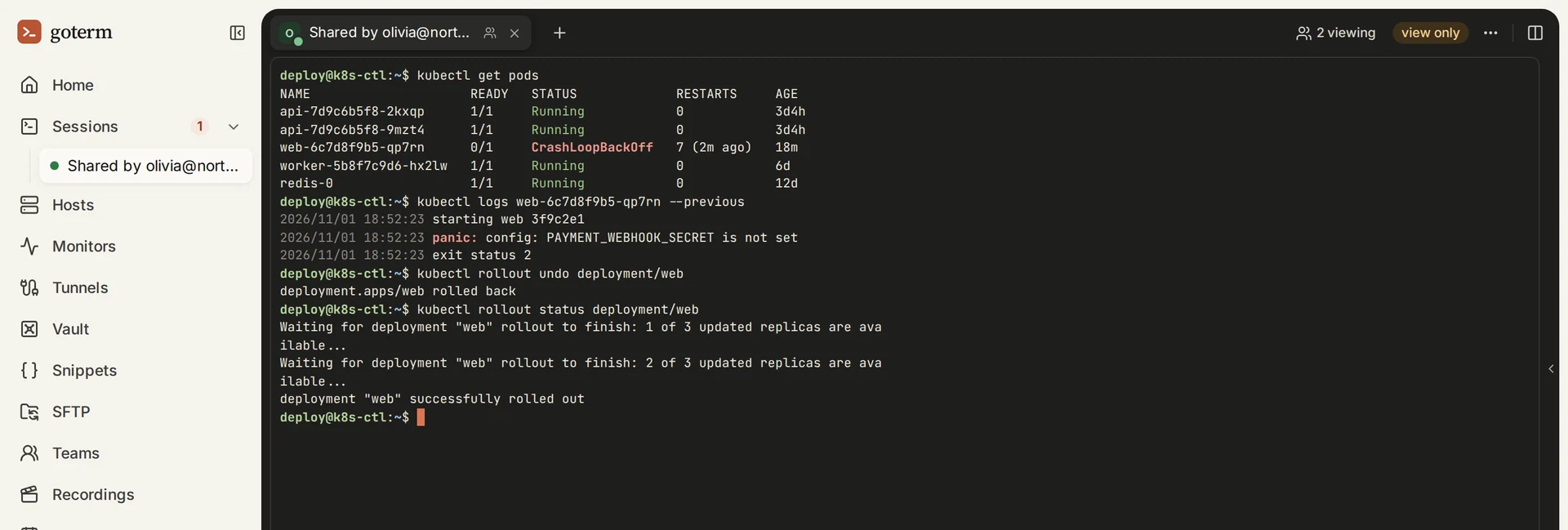
Recordings and an audit log, kept by the gateway
Termius keeps session logs too, and shares them with a team. In GoTerm the gateway does the recording, so what is kept doesn’t depend on which app or device someone used. You can play a session back as it looked, skip the idle parts, and see who typed. The audit log lists every sign-in, session, file move and share for the whole workspace in one place.
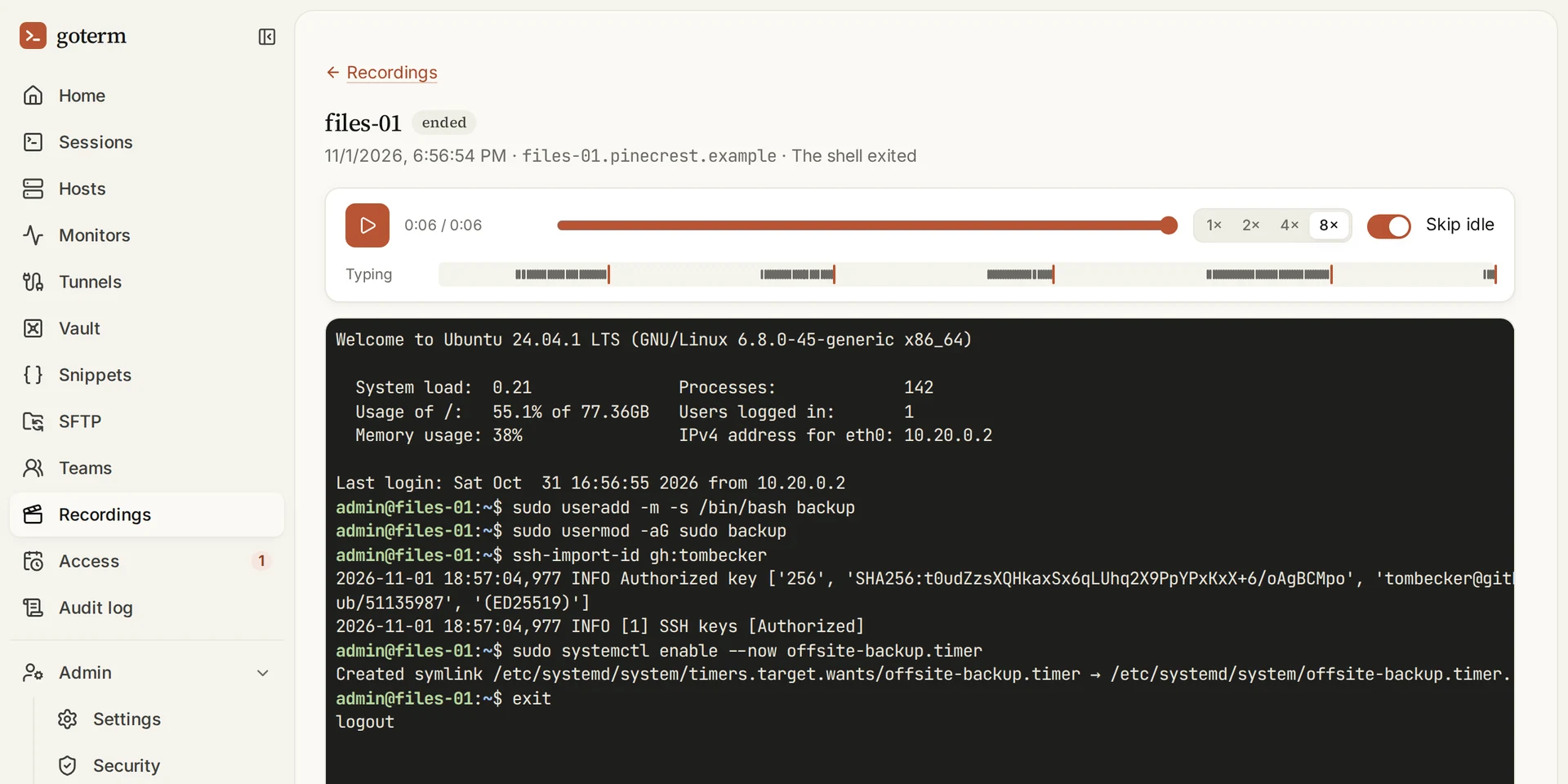
Access that ends on its own
Give someone a host for four hours, and their access ends on its own. A contractor sees only the hosts they were given, nothing else. When their access ends, GoTerm compares each host with how it looked at their first use: SSH keys, accounts, scheduled jobs, sudo rules and services. It only looks, and it changes nothing.
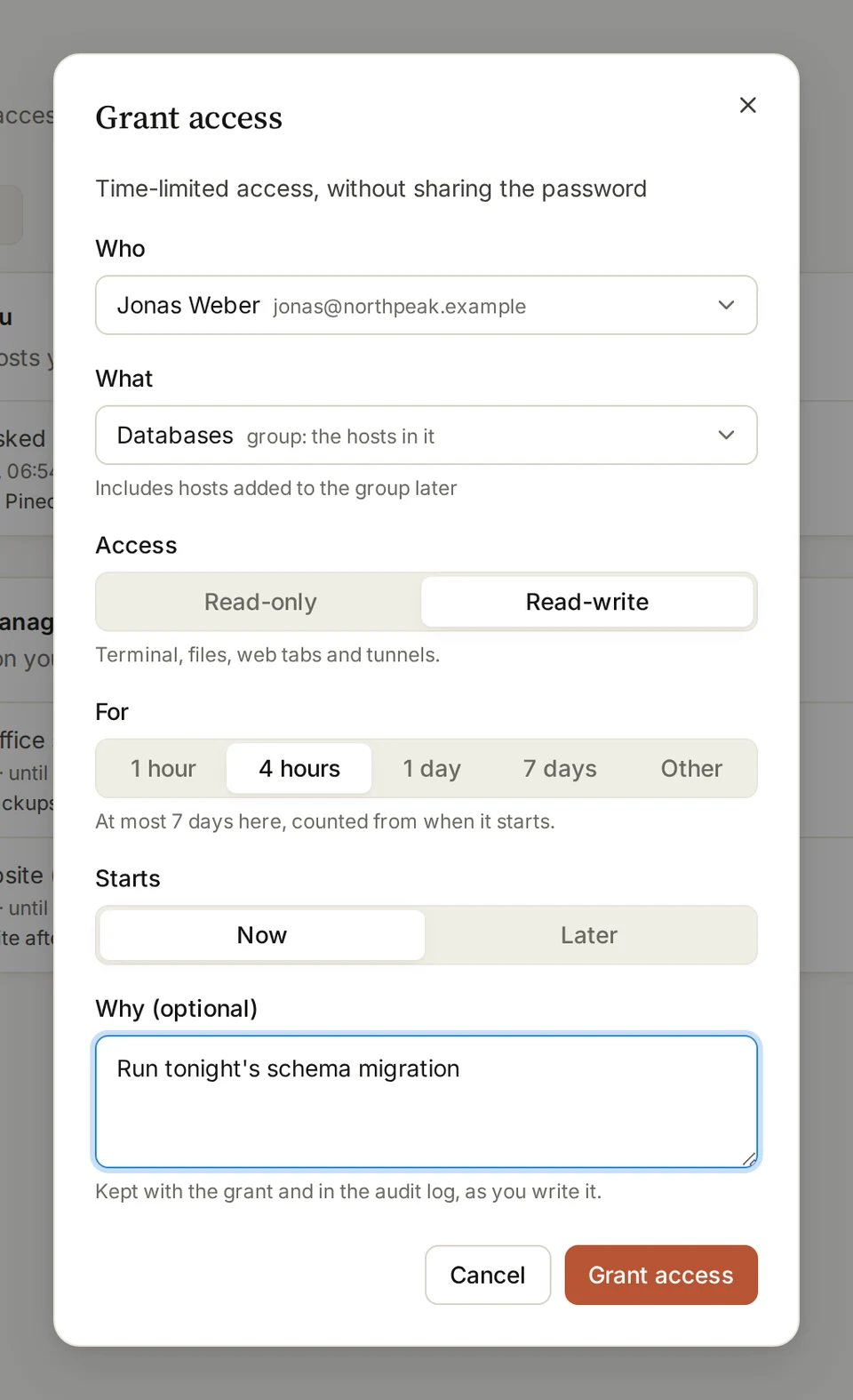
When someone leaves the company, you remove them from GoTerm. There is no copy of a team key on their laptop to chase.
Business: only your organization gets in
Teams is enough for most groups. Business is for organizations that want GoTerm closed to everyone else. Each check below is one more thing someone has to pass before a keystroke reaches your server.
- Private access. Turn it on and GoTerm answers only devices your team has set up, over WireGuard. Everyone else gets no answer at all, not even a sign-in page.
- A server of your own, with its own IP address. Your servers’ firewalls can accept SSH from that one address and from nobody else.
- Host groups limited to chosen people. Close a group, such as the databases, to everyone but the people you name, even inside the same team.
- Recordings kept for up to a year, as many teams as you need, and no limit on sessions at once.
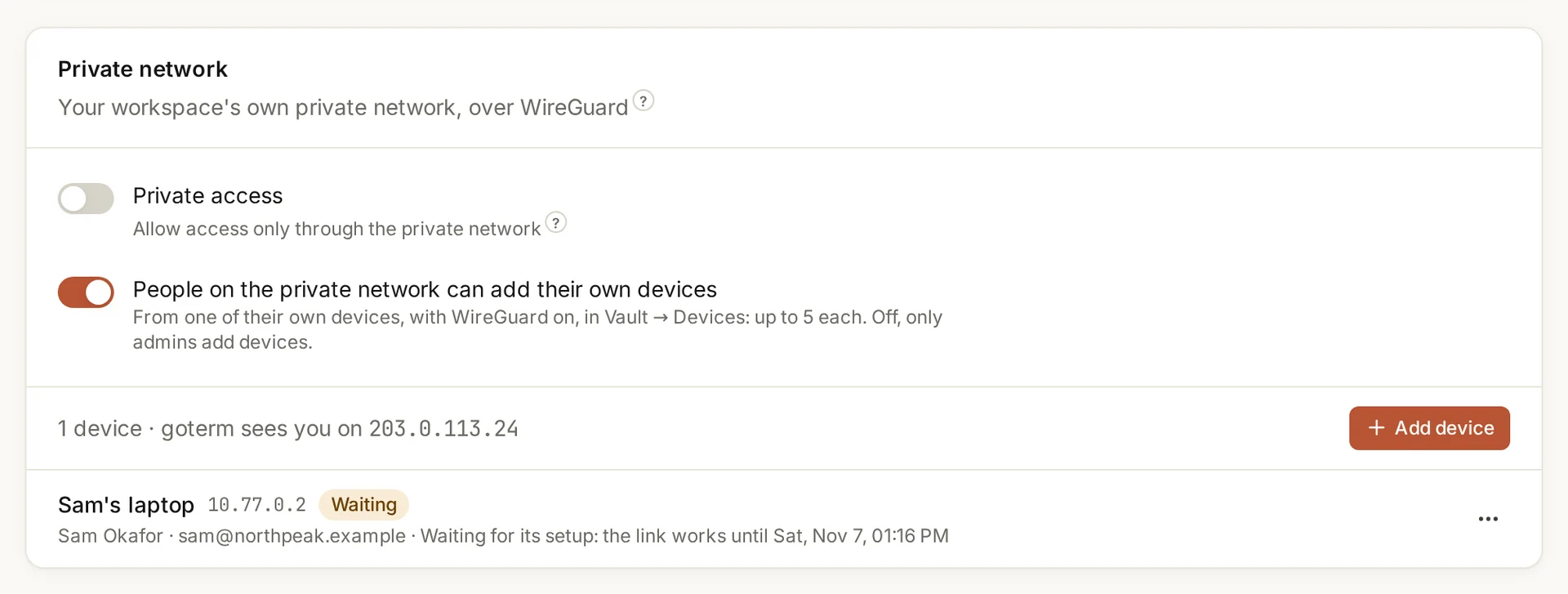
Allowed addresses and two-factor sign-in come with every paid plan. Private access and a server of your own can also be added to Personal or Teams, for $100 a month.
Prices, side by side
| Termius | GoTerm | |
|---|---|---|
| Free | Starter: SSH, SFTP, port forwarding and a local vault | Free: the desktop app, with no account |
| One person | Pro: $10 a month, billed yearly | Personal: $6 a month, or $60 a year |
| A team of 5 | Team: $20 a seat a month, billed yearly, so $100 a month | Teams: $35 a month for 5 seats, or $350 a year |
| A company of 10 | Business: $30 a seat a month, billed yearly, so $300 a month | Business: $199 a month for 10 seats, or $1,990 a year, with a server of its own |
| Each extra person | The same price per seat | $10 a month on Teams, $15 on Business |
Termius shows its paid plans billed by the year, and we found no monthly prices on its page. Prices change, so check both pages before you decide.
Other alternatives to Termius
GoTerm isn’t the only Termius alternative, and the right one depends on where you want the session to live.
- Tabby is a free, open-source terminal with SSH, Telnet and serial built in, for Windows, macOS and Linux.
- electerm is a free, open-source SSH and SFTP client that runs on computers and phones.
- Apache Guacamole is free and open source, and you run it on your own server. It opens remote desktops and terminals in a browser.
The first two are apps on your own device, like Termius. Guacamole is a gateway, like GoTerm, but you host and look after it yourself.
Which one to choose
Choose Termius when
- you mostly work alone, on your own devices;
- you want native apps on iPhone, Android and Mac;
- you need Mosh, Telnet, serial or FIDO2 keys;
- you want a vault no server can read, and you can live without sessions that outlive the app.
Choose GoTerm when
- a team shares the same servers, and sessions must keep running when a laptop closes;
- view only must mean view only, enforced by the server;
- you need recordings, an audit log and access that ends on its own;
- on Business, only your own devices and your own IP address should reach anything at all.
Try it
Open the demo for a workspace of your own for an hour, on servers made for it. Personal and Teams each come with a 7-day free trial and no card. The security guide and the Private access guide go into more detail.
Sources
- Termius pricing: the plans, their prices and what each includes, and the platforms.
- Termius security: end-to-end encryption, “not a proxy”, and SOC 2.
- What is Termius: the protocols it speaks.
- Termius on Multiplayer: peer-to-peer sharing, one person typing at a time.
- Termius team session logs: session logs shared with a team.
- Tabby, electerm and Apache Guacamole: their own pages.
- GoTerm security: how a secret is stored and when it is opened.
