Compare
The best SSH clients in 2026: our top five
The best SSH clients in 2026, ranked: Termius, GoTerm, Xshell, Tabby and mRemoteNG, with what each does best, what it costs and who it suits.
Published · Updated
There is no single best SSH client. The right one depends on how many people share your servers, which computers you use, and whether you also need remote desktops or a serial cable. So this list says who each client suits, what it does best, what it costs, and where it falls short.
We make GoTerm, so we aren’t neutral. We put it second, because for one person working on their own devices, Termius is the better app. Every fact about the other four is from their own pages, apart from one security advisory, checked on 16 November 2026 and linked at the end.

The five at a glance
| Runs on | Price | Best for | |
|---|---|---|---|
| 1. Termius | Mac, Windows, Linux, iPhone, Android | Free plan; Pro $10 a month, billed yearly | One person, on every device |
| 2. GoTerm | Any browser, phones included; a desktop app for Windows | Free desktop app; Personal $6 a month; Teams $35 a month for 5 | Teams that share servers |
| 3. Xshell | Windows | $119 once; free for home and school | Power users on Windows |
| 4. Tabby | Windows, macOS, Linux | Free and open source | A free terminal on every desktop |
| 5. mRemoteNG | Windows | Free and open source | RDP and SSH in one window |
1. Termius: the best all-rounder
Termius runs on Mac, Windows, Linux, iPhone and Android, and keeps your hosts in step between them. It is the most polished SSH app we know, and the one we would give someone who works alone.
- A free plan you may use at work, with SSH, SFTP, port forwarding, a local vault and AI autocomplete.
- End-to-end encrypted sync on the paid plans: Termius encrypts your data with a key made from your password on your own device.
- More than SSH: Mosh, Telnet and serial, and FIDO2 security keys to sign in.
- Teams too: a shared vault, live terminal sharing (Termius calls it Multiplayer, with one person typing at a time) and shared session logs.
What it costs: Starter is free. Pro is $10 a month, Team $20 a seat a month and Business $30 a seat a month, each billed yearly; we found no monthly prices on its page. The SOC 2 Type II report comes with Enterprise.
Where it falls short: sync, session logs and snippets need a paid plan, and paid plans are billed by the year. Termius connects from the app itself (“not a proxy”, in its words), so a session lives in the app on one device rather than on a server your team can return to.
2. GoTerm: best for teams that share servers
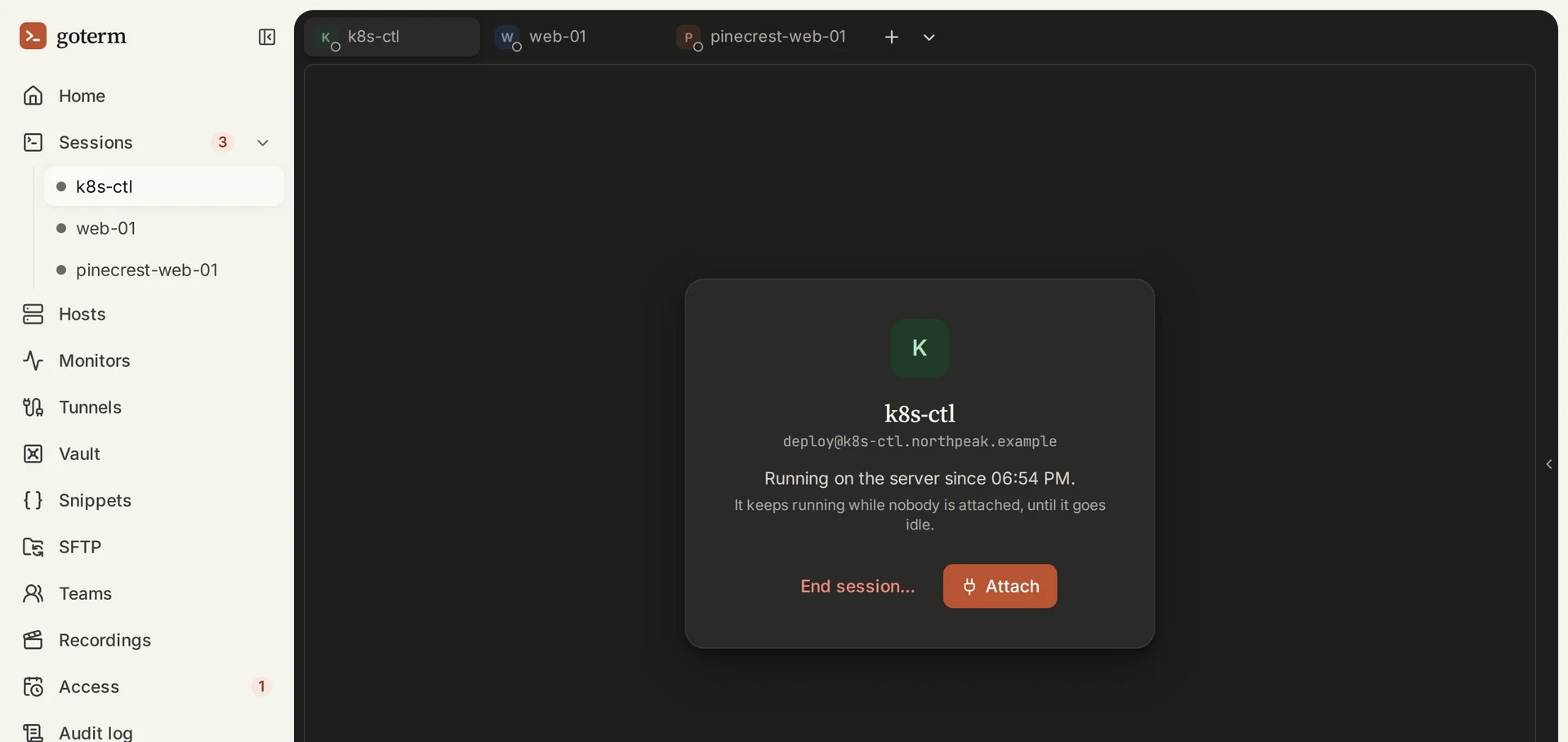
In a GoTerm workspace, on Personal and up, the SSH connection runs on a gateway instead of in an app. You open a terminal in any browser, the Windows desktop app or a phone, and the session keeps running on the gateway when you close the laptop. Most of what sets it apart follows from that. The free desktop app, with no account, connects straight from your computer like the others.
- Sessions that keep running when the laptop closes, to pick up later from another computer or a phone.
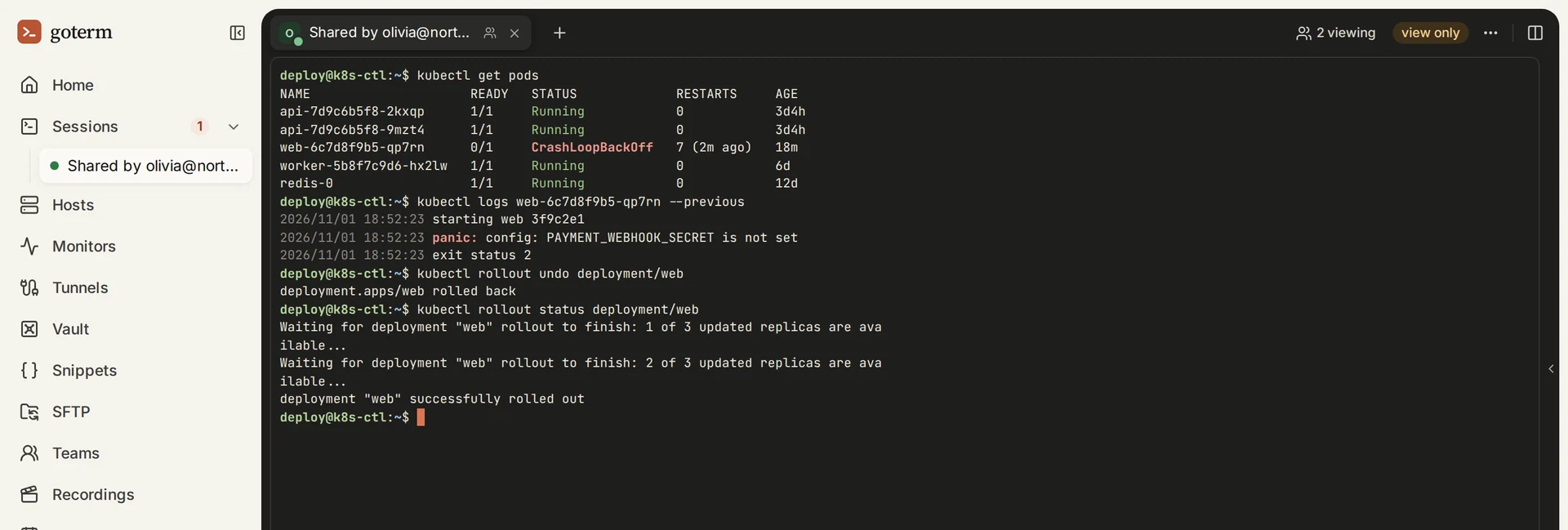
- Live sharing with a teammate, view only or read-write, and view only is enforced by the gateway, which drops a viewer’s typing.
- A team’s keys stay off laptops. They live in the workspace’s Vault, protected at rest, and only the gateway uses them. You choose where the key that opens the Vault lives: on GoTerm’s server, on a few laptops you choose, or in your own AWS or Google Cloud key.
- Control for teams: roles, access grants that end on their own, recordings and an audit log, and on Business a server of your own with Private access.
- Also built in: SFTP beside the terminal, private web pages through your servers in a browser tab, snippets, and monitors.
What it costs: the desktop app is free with no account. Personal is $6 a month or $60 a year, Teams $35 a month for 5 seats, and Business $199 a month for 10 seats with a server of its own. Personal and Teams come with a 7-day free trial and no card.
Where it falls short: the desktop app is for Windows today, with macOS and Linux to follow, and phones use the browser rather than an app. There is no Mosh, Telnet or serial.
3. Xshell: best for power users on Windows
Xshell, from NetSarang, is a long-standing Windows terminal now at version 8. It speaks SSH, SFTP, Telnet, rlogin, serial and RDP, and it is built for people who live in many sessions at once.
- Scripting in VB, JScript and Python.
- A Compose Bar that sends the same text to several sessions at once.
- Tunnels and X11: dynamic port forwarding over SOCKS4 and SOCKS5, and X11 forwarding with NetSarang’s Xmanager.
- Enterprise sign-in: PKCS#11 and Windows certificate stores, Kerberos, and a master password that encrypts your saved passwords.
- Files with Xftp, sold with Xshell as a bundle.
What it costs: $119 for a single-user licence you keep, on up to 2 devices, with a year of updates and support. Xshell with Xftp is $139. It is free for personal and educational use, but not for work.
Where it falls short: it runs on Windows only, and the free licence doesn’t cover business use.
4. Tabby: best free terminal on every desktop
Tabby is a free, open-source terminal under the MIT licence, for Windows, macOS and Linux. It is a local terminal, an SSH client and a serial terminal in one, and it is actively developed: version 1.0.238 came out in October 2026.
- SSH, Telnet and serial, with SFTP from an SSH tab, port forwarding and X11 forwarding.
- An encrypted vault for SSH passwords and keys.
- Split panes and plugins, so you can shape it to your taste.
- A web version you can host yourself, which its config sync also relies on.
What it costs: nothing.
Where it falls short: it is built on Electron, and its own README says it is not lightweight. There are no mobile apps.
5. mRemoteNG: best for RDP and SSH in one window
mRemoteNG is a free, open-source connection manager for Windows, under the GNU GPL v2. Its strength is range: RDP, VNC, SSH, Telnet, HTTP and HTTPS, rlogin, raw sockets and PowerShell remoting, all as tabs in one tree of connections. SSH and Telnet run through its own build of PuTTY.
For a Windows admin who looks after servers and desktops alike, one window for all of them is hard to beat, and it costs nothing.
Where it falls short: the last stable release, 1.76.20, is from April 2019. The project is busy again, with nightly builds through November 2026, but those are test builds. It runs on Windows only.
Also worth knowing
- PuTTY is free, small and everywhere on Windows. We compared it with GoTerm in a PuTTY alternative for teams.
- OpenSSH: the
sshcommand that comes with macOS, Linux and current Windows is all many people need, with a~/.ssh/configfile for their hosts.
How to choose
- You work alone, on a phone and a laptop: Termius.
- A team shares the same servers, sessions must outlive a laptop, and you want to share, record and control access: GoTerm.
- You live in Windows and script your sessions: Xshell.
- You want free and open source, on any desktop: Tabby.
- You manage Windows desktops and Linux servers side by side: mRemoteNG.
To try GoTerm, open the demo for a workspace of your own for an hour, or see pricing for a 7-day trial with no card. The Termius comparison goes deeper on the app or the gateway.
Sources
- Termius, its pricing and its security page: the platforms, plans and prices, end-to-end encrypted sync, protocols, FIDO2 and Multiplayer.
- Termius changelog: what the free plan gained in 2025 and 2026.
- Xshell, its features, its download page and the free licence for home and school: the price, protocols, features, Windows and the free licence’s terms.
- Tabby on GitHub and its releases: the licence, platforms, features, the README’s own words, and version 1.0.238.
- mRemoteNG, its downloads and its GitHub: the licence, protocols, and the stable and nightly releases.
- secuvera advisory SA-2023-01: CVE-2023-30367, mRemoteNG’s connections in memory and its default key.
- GoTerm pricing and the security page: GoTerm’s plans and how it keeps saved keys.
