Everyday work
Know when something’s down
A monitor checks a site or a port on a schedule, from GoTerm’s servers, and tells you when it goes down and when it comes back.
Updated
On this page
How it works
GoTerm checks each monitor every minute or so, from its own servers, and keeps how long each answer took.
- Three kinds: an HTTP(S) address, a TCP port, or a ping.
- It’s down after three failed checks in a row, and up again at the first answer. The cause is said in plain words.
- A monitor is a team’s, as its hosts are, or yours on Personal. Admins add them, and every member sees them.
Add a monitor
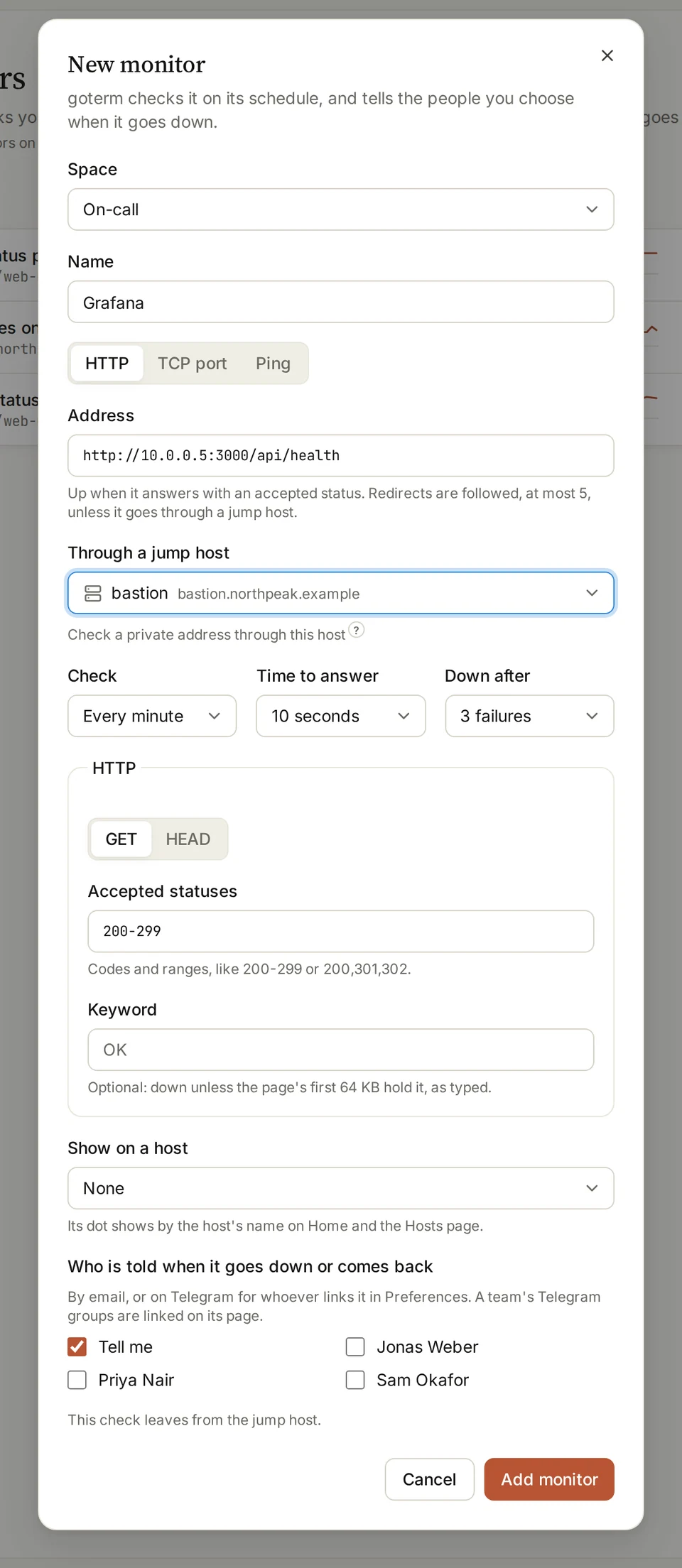
- Open Monitors and choose New monitor. Pick its Space and give it a Name.
- Choose HTTP, TCP port or Ping, and fill in its Address.
- Set how often to Check, the Time to answer, and Down after how many failures.
- For HTTP, set the Accepted statuses, and a Keyword the page must hold if you like.
- Tick who is told when it goes down or comes back, then choose Add monitor.
Private servers
GoTerm doesn’t check private addresses directly. Pick a jump host on that network under Through a jump host, and the check leaves from there.
- HTTP and TCP go through a jump host; ping doesn’t. A TCP check of a server’s SSH port says whether it’s up.
- Connect to the jump host once first, so GoTerm knows its host key.
- A check through a jump host follows no redirects: it judges the first answer.
See its history
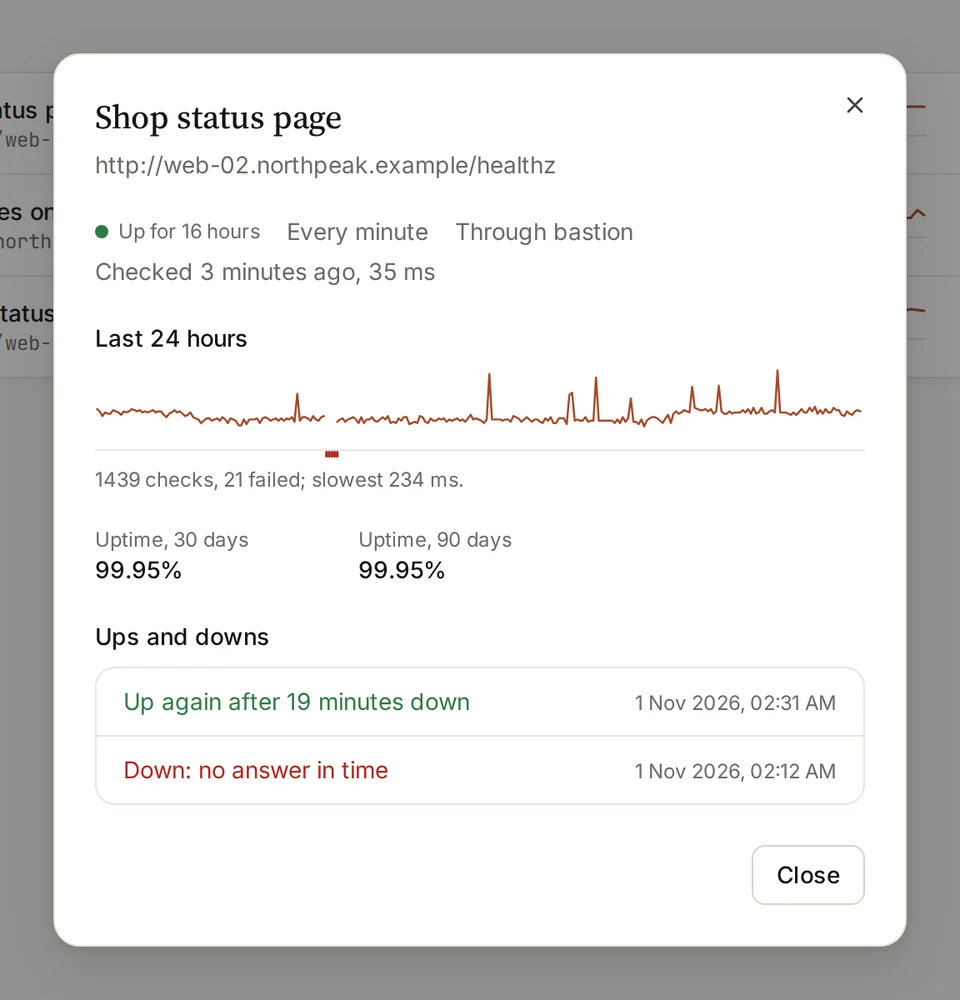
- On a monitor’s … menu, choose History.
- It shows the last 24 hours of checks, the uptime over 30 and 90 days, and each time it went down and came back, with why.
- Check now, on the same menu, checks it at once.
Alerts
GoTerm emails the people a monitor tells when it goes down and when it comes back, and once when a site’s certificate is 14 days from its end.
- Many monitors down within a minute come in one email.
- Anyone who can see a monitor can choose Tell me when it goes down on its menu.
- An alert never shows a page’s path, an address behind a jump host, or what the site answered.
On Home and on hosts
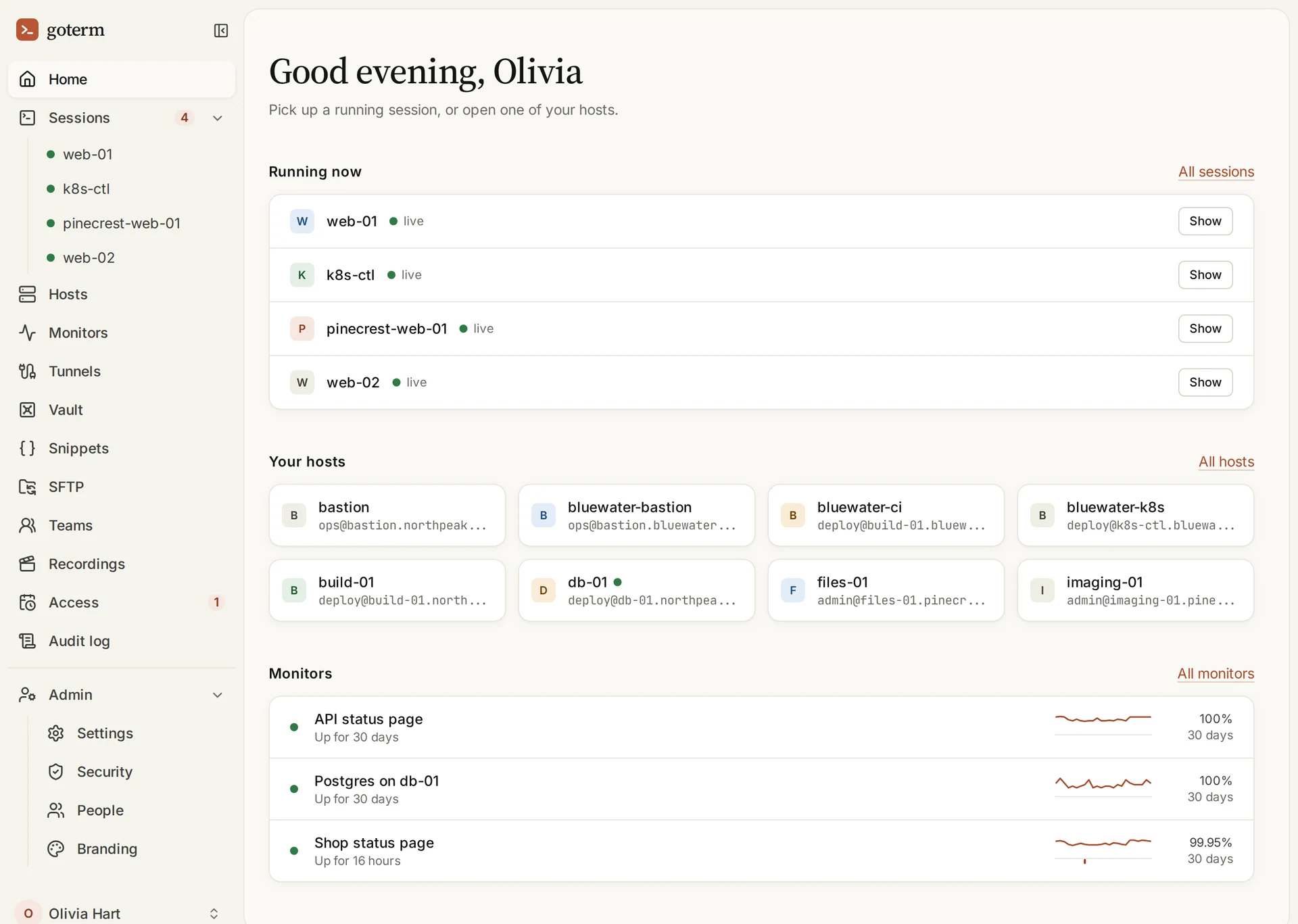
- Home shows your monitors: up or down, the last 24 hours, and the uptime over 30 days.
- Pick a host under Show on a host, and the monitor’s dot shows beside that host’s name on Home and Hosts.
- The organization’s owner and admins see every team’s monitors.
More ways to be told
- Telegram alertsAlerts in your own Telegram chat, or in a team’s group.
- A public status pageA page your customers can open to see what’s up and what isn’t.
Good to know
- Up to 10 monitors on Personal, 50 on Teams and 200 on Business, checked every minute, or every 30 seconds on Business.
- Every monitor counts toward the limit, paused or not.
- A certificate that doesn’t verify counts as down, unless the monitor is set not to check it.
- Each check is kept for 24 hours, an hourly summary for 90 days, and every up and down for a year.
- Contractors and people with a share link never see monitors.
Didn’t find your answer?
Write to us, and an engineer who builds GoTerm will reply.