Teams and admin
Access that ends on its own
A grant gives one person a team host or group, read-only or read-write, for a set time. It ends on its own, and GoTerm can look at the hosts before and after.
Updated
On this page
How a grant works
A grant is one person, one host or group, read-only or read-write, for a set time. Admins grant at once; members ask, and an admin decides.
- Read-only opens files to browse and download, shared sessions to watch, and web tabs and tunnels: no terminal of its own, no file changes.
- When a grant ends, its terminals, files, web tabs and tunnels close within seconds.
- A grant lasts at most 7 days, renewals included, unless the owner and admins set another longest.
Grant access
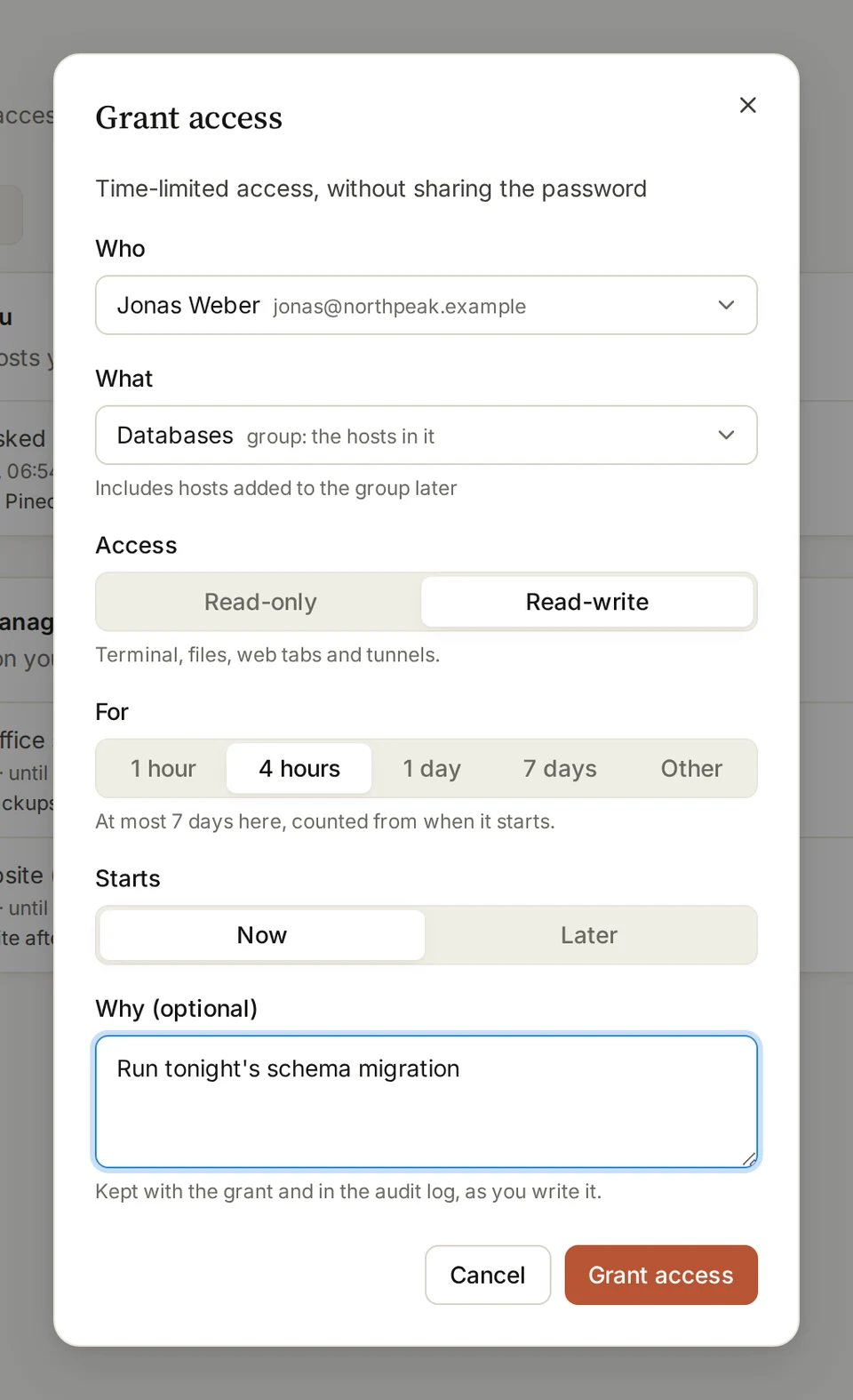
- Open Access and choose Grant access.
- Pick Who and What: a team host, or a group, which also covers hosts added to it later.
- Choose Read-only or Read-write, how long under For, and when it Starts.
- Say why if you like, then choose Grant access.
Tip: The organization’s owner and admins can grant any team’s hosts; a team’s admins, their own team’s.
Ask for access
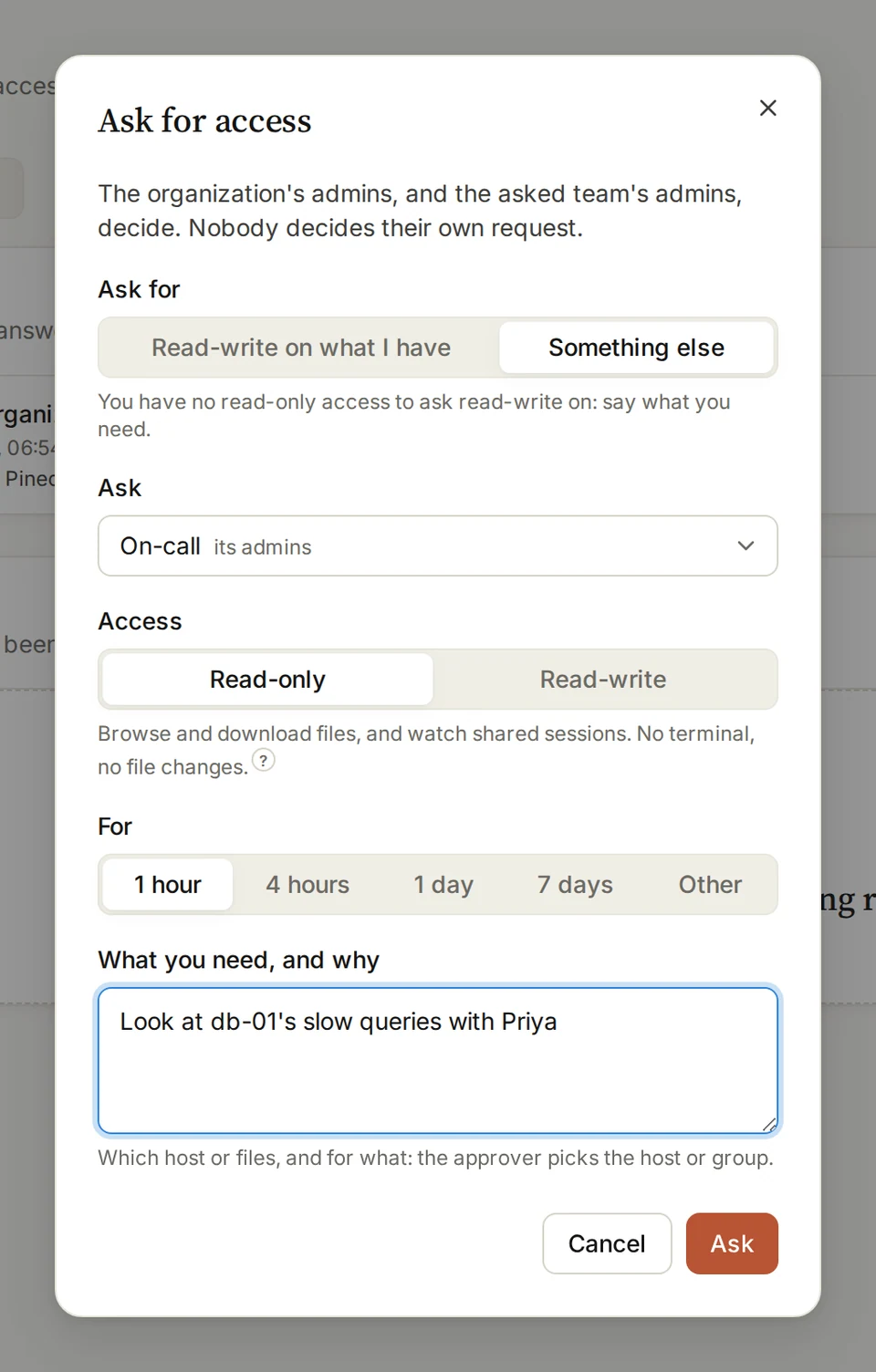
- Open Access and choose Ask for access.
- Ask for Read-write on what I have, or Something else: who to Ask, and what you need and why.
- Pick Read-only or Read-write and how long, then choose Ask.
Tip: Nobody decides their own request. A request nobody answers closes after a week.
Answer a request
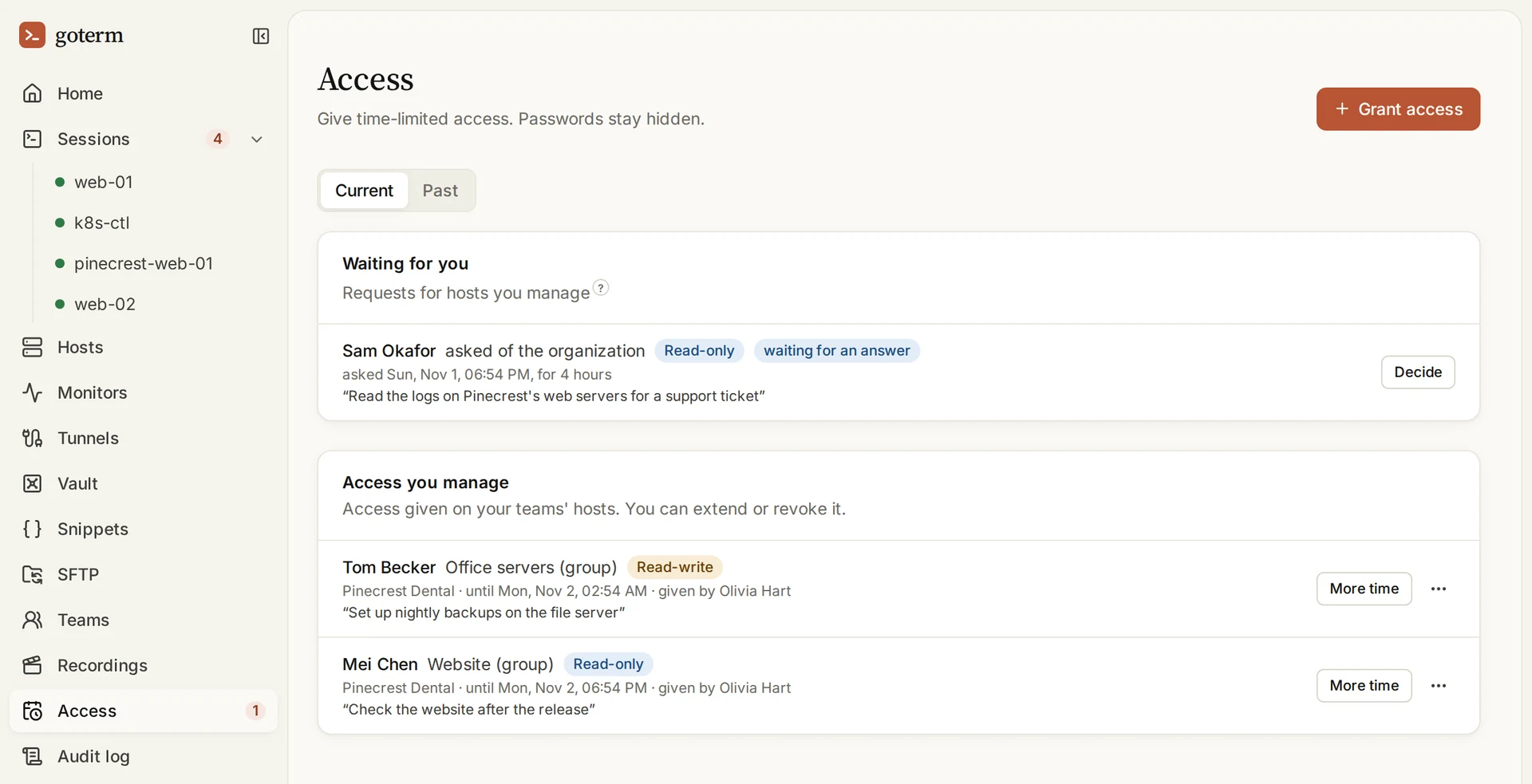
- Requests for hosts you manage wait on Access, under Waiting for you. You’re emailed too.
- Choose Decide. Pick what to give and for how long, then Give access, or Say no with a reason.
- Under Access you manage, More time extends a grant, and Revoke access…, on its … menu, ends it now.
Contractors
A contractor is someone from outside your organization. They sign in with an account of their own, and reach only the hosts granted to them.
- Invite one from People, with the Contractor role. Only the organization’s owner and admins can.
- Their sessions are recorded while Record contractors' sessions is on, as it is unless you turn it off.
- When their last grant ends, their account is turned off. Grant them access again, and it comes back.
Checks after access ends
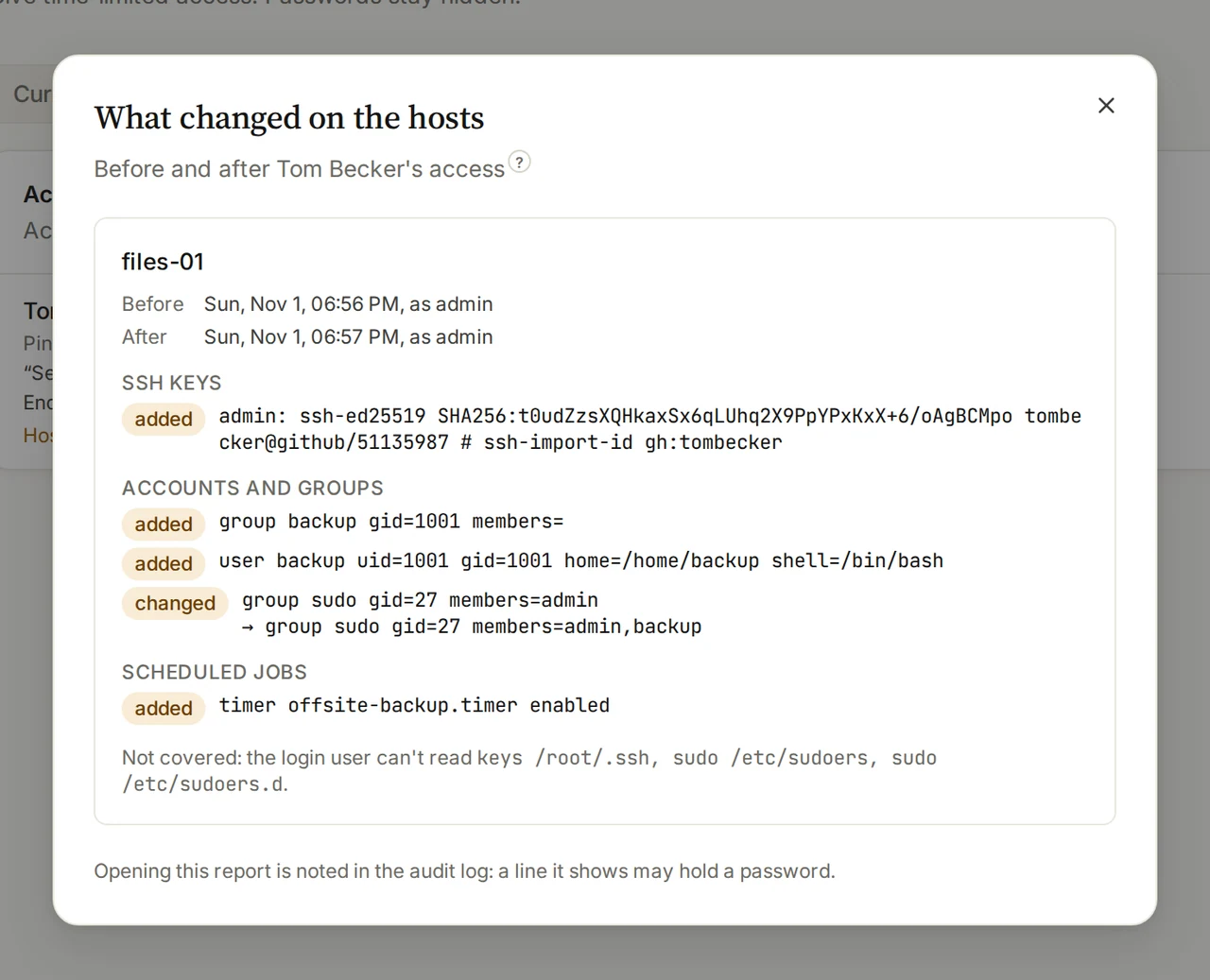
GoTerm looks at each host when the person first uses it, and again when their access ends, and compares the two: SSH keys, accounts and groups, scheduled jobs, sudo rules and services.
- GoTerm only looks, with the login user’s rights: it never uses sudo, and undoes nothing.
- The report goes to whoever gave the access and to the team’s admins, by email when something changed.
- It’s on unless you turn off Check hosts after access ends, under Admin, then Settings.
Read the report
- Open Access, then Past, and find the grant.
- Choose its Host check line, which says how many things changed.
- What changed on the hosts lists each host’s additions and changes, and what the login user couldn’t read.
Tip: A crontab line or a sudo rule can hold a password, so the looks are kept sealed, and opening a report goes in the audit log.
Good to know
- Grants are for team hosts and groups. Personal hosts can’t be granted.
- The organization’s owner and admins already reach every team host, so they’re never granted anything.
- A grant starts now, or up to 14 days ahead.
- Every request, grant, renewal and end is in the audit log, with its reason as written.
- Access grants, contractors and host checks are on Teams and Business.
Didn’t find your answer?
Write to us, and an engineer who builds GoTerm will reply.