Everyday work
Open private pages securely
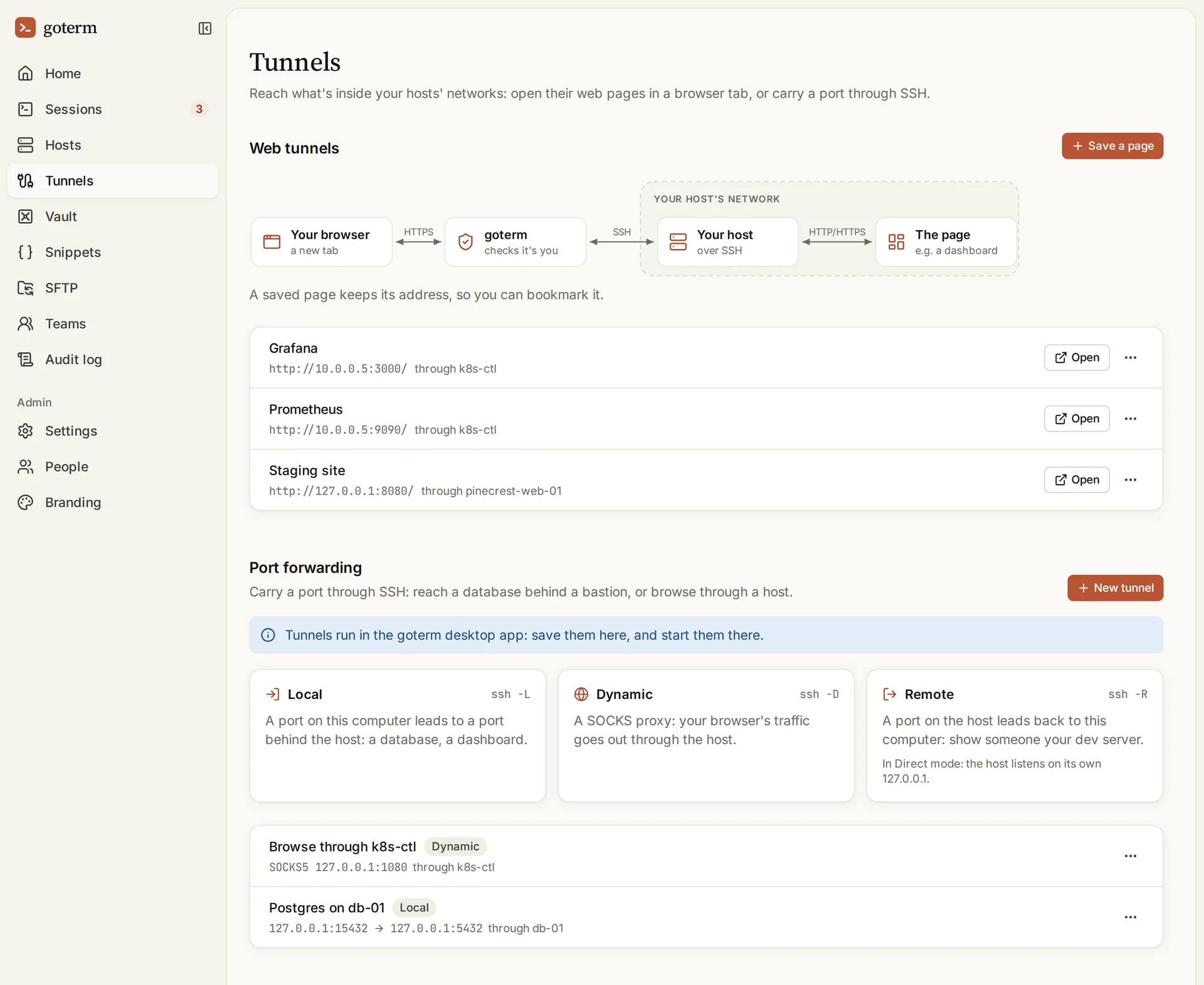
A web tab opens a page from inside a host’s network, such as a Grafana dashboard, in your own browser. Tunnels in the desktop app carry other ports the same way.
Updated
On this page
How a web tab works
The page travels inside the SSH connection to the host, which fetches it from inside its own network. Nothing new is opened to the internet.
- Each tab has an address of its own, and only you can open yours.
- Lose access to the host, and its tabs close with it.
- A web tab carries web pages and their WebSockets, never other traffic.
Open a web page
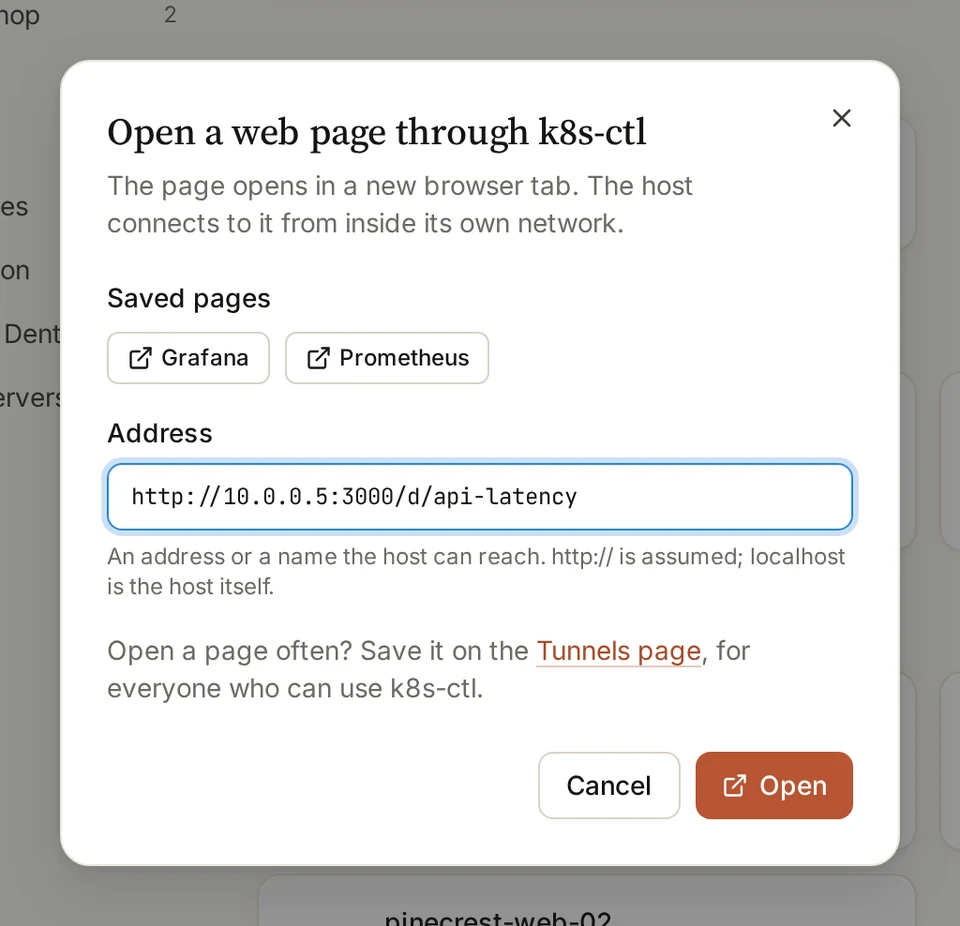
- On Hosts, open a host’s … menu and choose Open web page….
- Type the page’s address as the host reaches it, such as 10.0.0.5:3000.
- Choose Open. The page opens in a new browser tab.
Tip: localhost in the address is the host itself.
Save a page for everyone
Whoever manages a host can save its pages, for everyone who can connect to it.
- Open Tunnels and choose Save a page.
- Give it a Name and an Address, and pick the host under Through the host.
- Choose Save page. It’s on Tunnels, and in the host’s menu.
Tip: A saved page keeps its address, so you can bookmark it.
How a tunnel works
A tunnel in the desktop app opens a port on your own computer that leads to a port behind a host, such as a database.
Forward a port
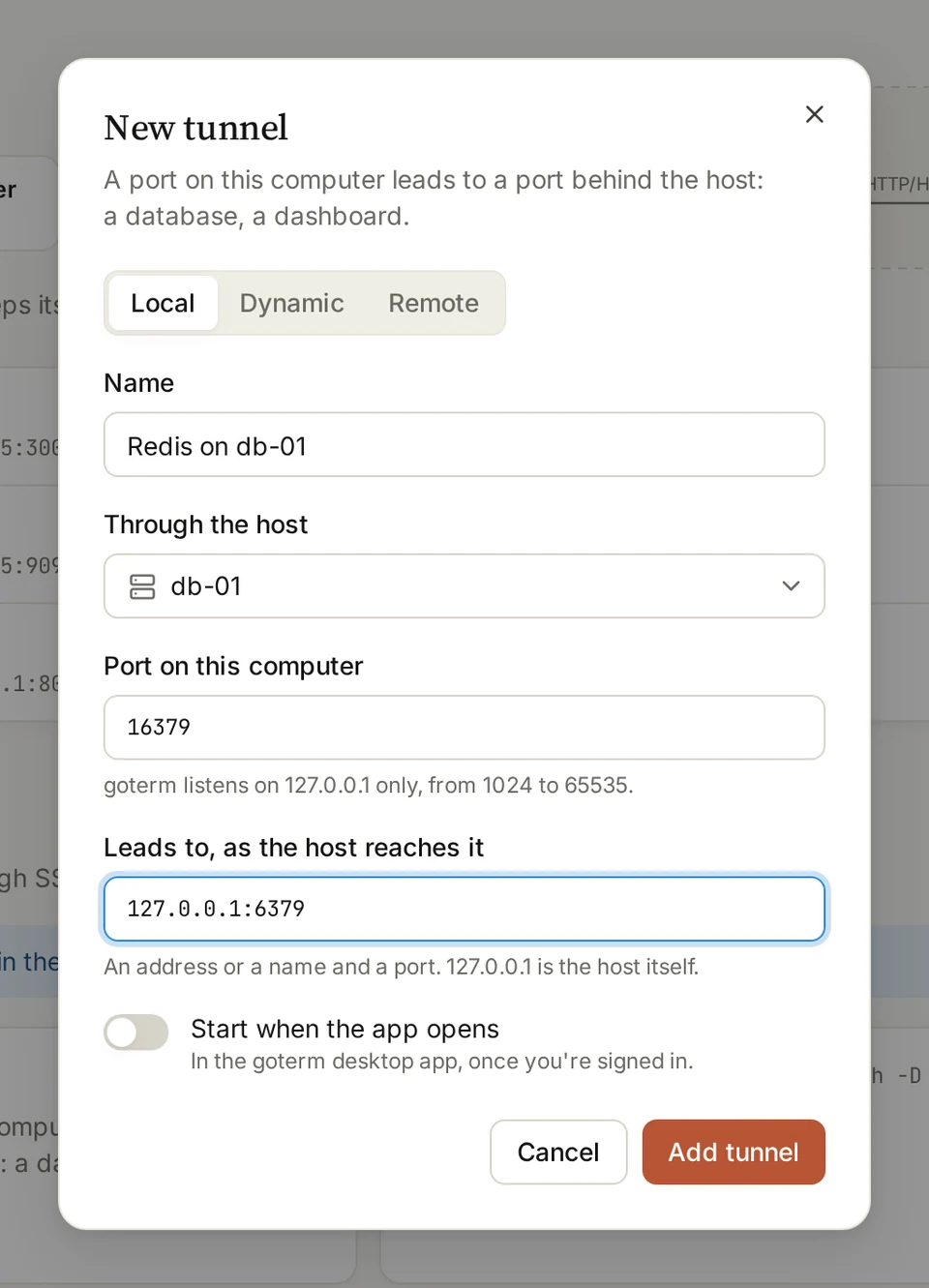
- Open Tunnels and choose New tunnel.
- Pick Local, Dynamic or Remote, and give it a Name.
- Pick the host under Through the host, and a Port on this computer.
- Fill in Leads to, as the host reaches it, then choose Add tunnel.
- Start it in the GoTerm desktop app.
Three kinds of tunnel
Local: a port on your computer leads to one behind the host
- Through GoTerm
- Yes
- In Direct mode
- Yes
Dynamic: a SOCKS proxy that goes out through the host
- Through GoTerm
- Yes
- In Direct mode
- Yes
Remote: a port on the host leads back to your computer
- Through GoTerm
- No
- In Direct mode
- Yes
| Kind | Through GoTerm | In Direct mode |
|---|---|---|
| Local: a port on your computer leads to one behind the host | Yes | Yes |
| Dynamic: a SOCKS proxy that goes out through the host | Yes | Yes |
| Remote: a port on the host leads back to your computer | No | Yes |
Without opening a port
- Connector for private networksRun a small agent inside your network and reach its servers without opening an inbound port.
Good to know
- An app that only answers to its own name? Fill in Name the app expects on the saved page.
- A tunnel listens on 127.0.0.1 only, so nobody else on your network can use it.
- Web tabs and tunnels open only for people who can connect to the host.
- Hosts that ask for their password each time don’t offer web tabs.
Didn’t find your answer?
Write to us, and an engineer who builds GoTerm will reply.