Start here
Your first terminal in a minute
GoTerm is an SSH client in your browser and on your desktop. You save a server once as a host, then open a terminal on it from wherever you sign in.
Updated
How it works
Your browser talks to GoTerm over HTTPS. GoTerm’s gateway signs in to your server over SSH and runs the session there, so it doesn’t end with the tab you opened it in.
- Nothing to install: any current browser will do.
- Your saved password or key is opened only to connect, in the gateway’s memory.
- It works where port 22 is blocked, because your browser only uses HTTPS.
Sign in
An admin of your organization invites you by email.
- Open the invitation and follow its link.
- Choose a password. The link confirms the browser you’re using.
- Signing in later on another browser or computer? It waits until you confirm it.
- Confirm it with the link we email you, or from a device you already use.
Tip: A device you don’t know is waiting? Choose This wasn't me on the email’s page, and it’s removed.
Add a host
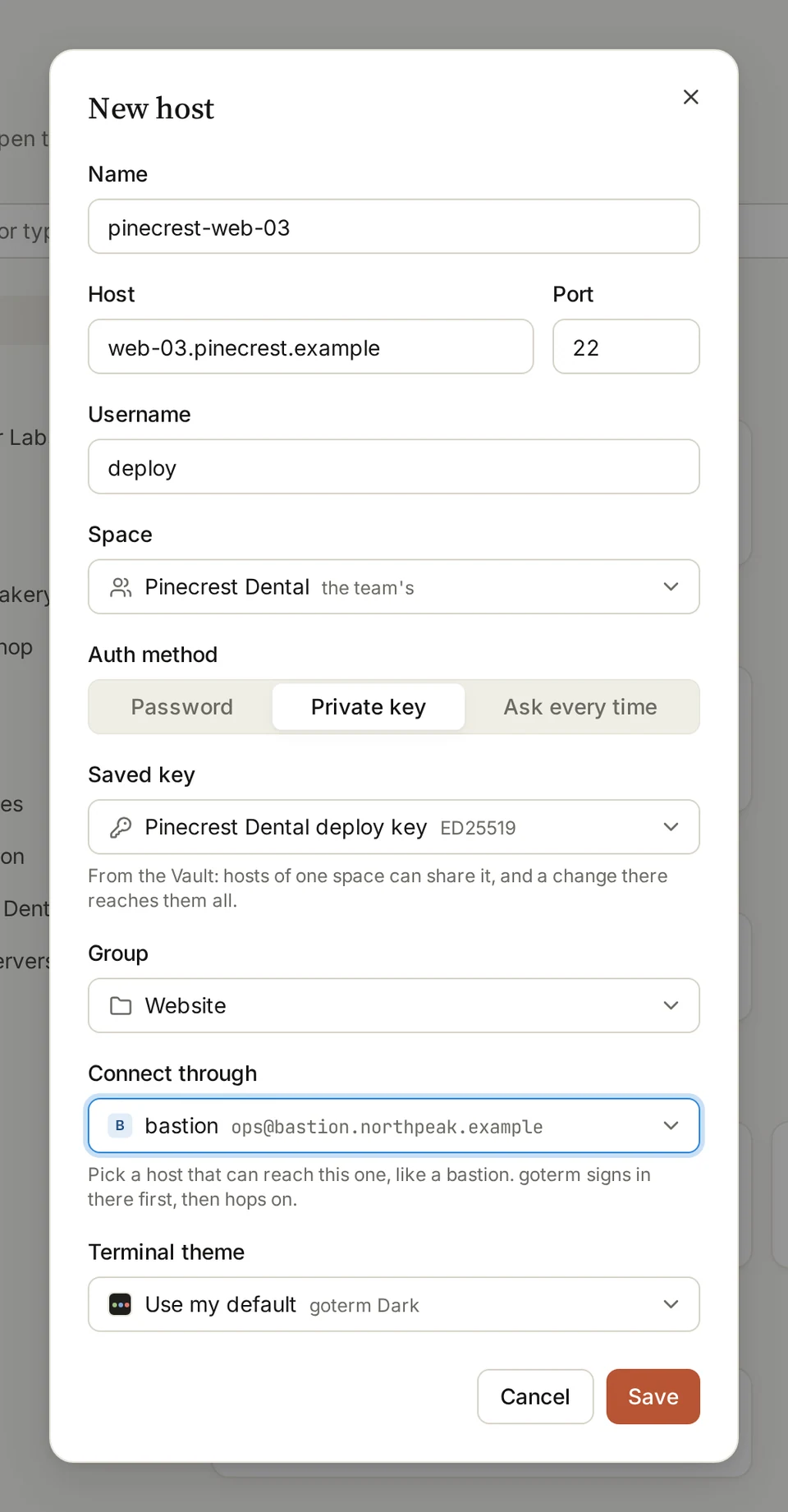
- Open Hosts and choose New host.
- Fill in Name, Host, Port and Username.
- Under Auth method, pick Password, Private key or Ask every time.
- Pick a saved password or key, or leave it for when you first connect.
- Choose Save.
Tip: Type user@hostname in the hosts search and pick the card it offers: the form opens filled in.
Open a terminal
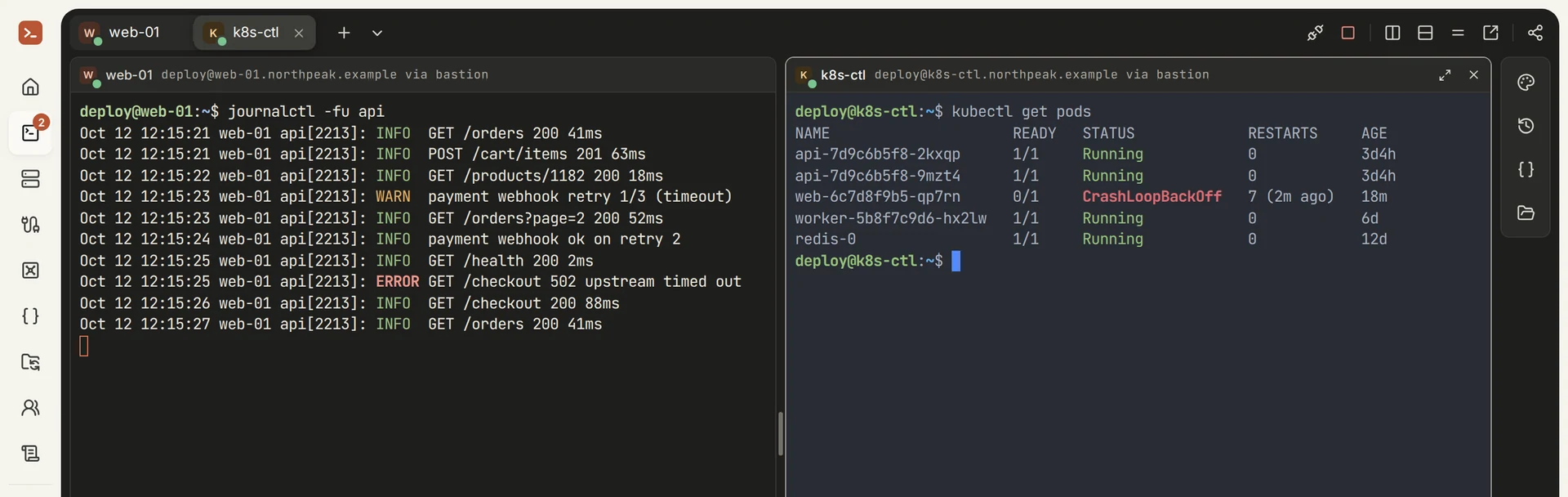
- On Hosts, click the host’s card.
- No password or key saved yet? Enter it now. GoTerm seals it and never shows it again.
- The terminal opens in a tab. Open more hosts in more tabs, or split the view.
More ways in
- Desktop appsThe same hosts on macOS, Windows and Linux. Direct mode connects from your own computer, with keys kept in its keychain.
- iOS and AndroidCheck on a session or restart a service from your phone.
Good to know
- GoTerm remembers each server’s host key the first time it connects, and won’t connect if the key changes.
- Your hosts and saved keys are there in every browser you sign in to, and in the desktop app.
- A host is yours alone, or a team’s. A team’s admins set up its hosts and keys for its members.
Didn’t find your answer?
Write to us, and an engineer who builds GoTerm will reply.